Mega Sale 50% OFF All Products & Memberships | Limited time onlyUse code RCSALE50ALL
The FREE NinjaTrader 8 custom Initial Balance Futures indicator shows the initial balance with extension levels.
The Initial Balance With Extension Levels - Free Indicator is a professional-grade free indicator for NinjaTrader 8 platform. This indicator helps traders with technical analysis and market insights. Download now for free and enhance your trading strategy with this powerful tool from Rize Capital.
Click to play video
INDICATOR
Please Register for FREE account or Login to download this resource.
By downloading, you agree with our Terms & Conditions
This FREE NinjaTrader 8 indicator helps intraday traders plot the Opening Range/Initial Balance with fixed extension levels. It updates in real-time during the trading session, then locks the levels for reliable early decision-making. Fully customisable by time, day, and colour, this initial balance indicator for NinjaTrader 8 works across any market instrument on intraday charts.
See how the Initial Balance With Extension Levels - Free Indicator looks in action with these screenshots
Enhance your trading experience with premium features
Subscribe to the additional features of the Initial Balance With Extension Levels indicator, which give you access to settings related to extension levels and plot customisation.
Learn how to use the Initial Balance With Extension Levels - Free Indicator to improve your trading
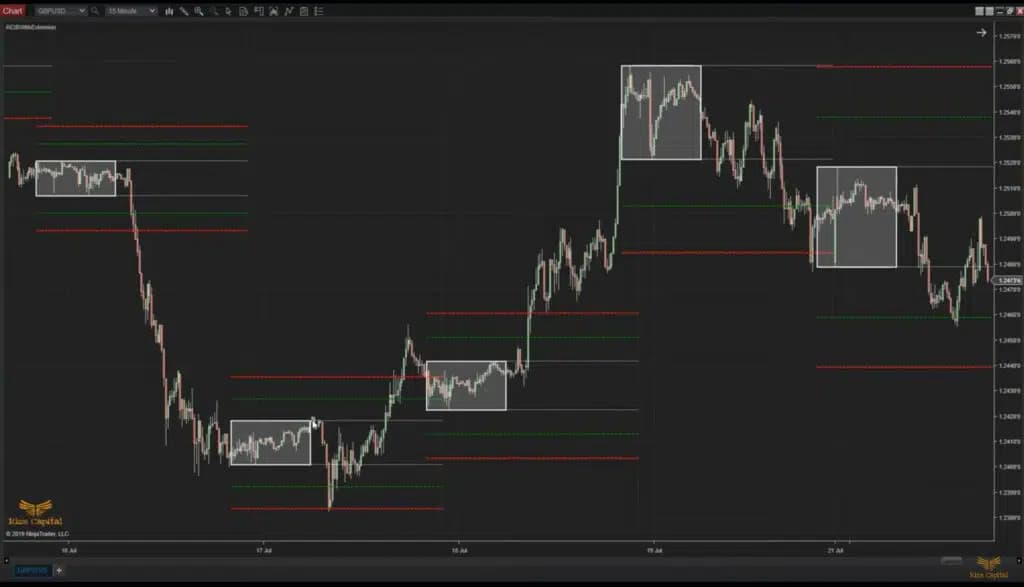
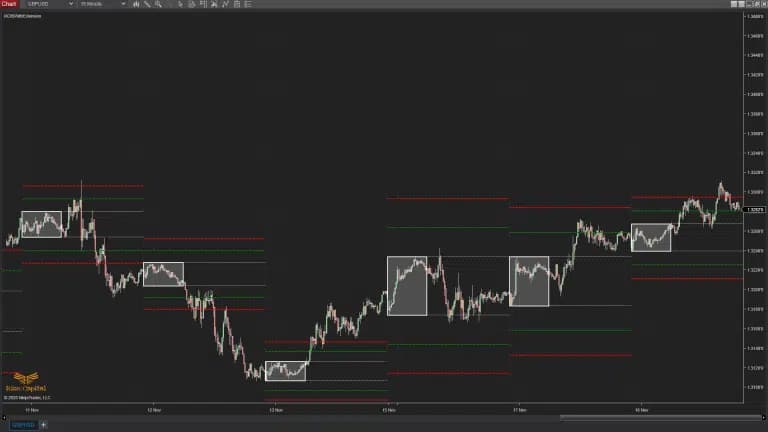
This absolutely free NinjaTrader 8 indicator is developed for traders like you who want to trade using the opening range/initial balance of the trading session, regardless of market instrument. This FREE indicator not only plots the initial balance (IB) at your desired time but also keeps developing as time progresses; as soon as the opening range time ends, it stops plotting. Two extension levels are also plotted to indicate highly likely bounce-back levels, which are respected by the market profile. The best part of this indicator is that those extension levels are drawn during the opening range and never change later. Therefore, very early in the session, you know the levels to be careful of. This indicator only works on intraday timeframe (TF) charts at the moment, but it works on any financial market instrument. You can see how it plots both current and historical Opening Range/Initial Balance with extension levels on either side of the IB in Image 1 on your chart.
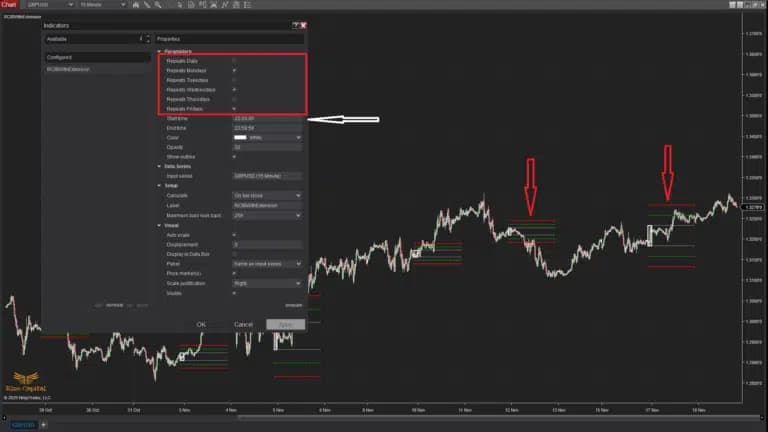
Now, by default, this indicator plots IB with extension levels for every day, but if you want to plot any specific day(s) only, then you can remove the tick from “Repeats daily” option and select the day(s) which you want the plots (Image 2). This option is shown with a red rectangle in Image 2, and red down arrows show that it plots only selected trading days. Now, a point to remember, days will be calculated based on your start time (shown with a white arrow in Image 2).
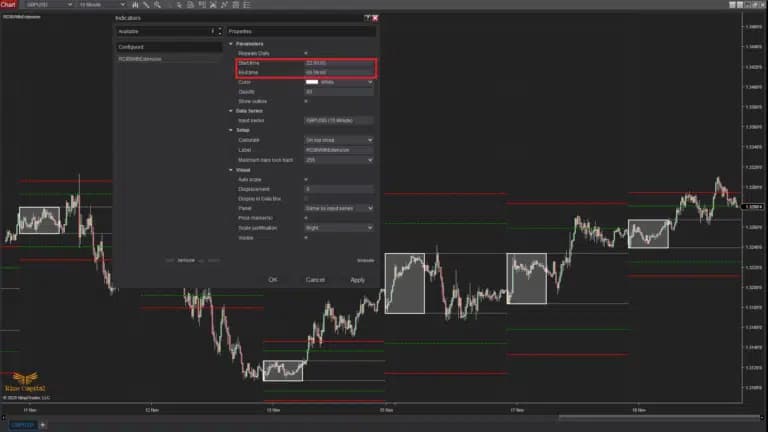
Not every instrument, financial market session, open range, or initial balance time is the same; thus, you may need to customise the start and end time, which is possible by changing the time as you wish from the start and end time, which is highlighted with a red rectangle in Image 3.
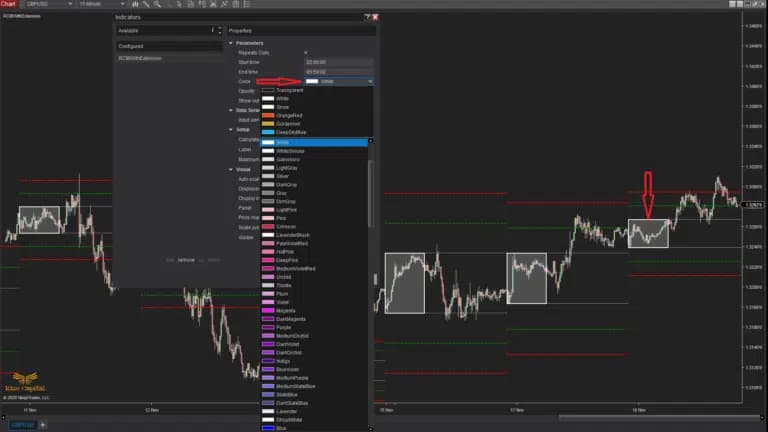
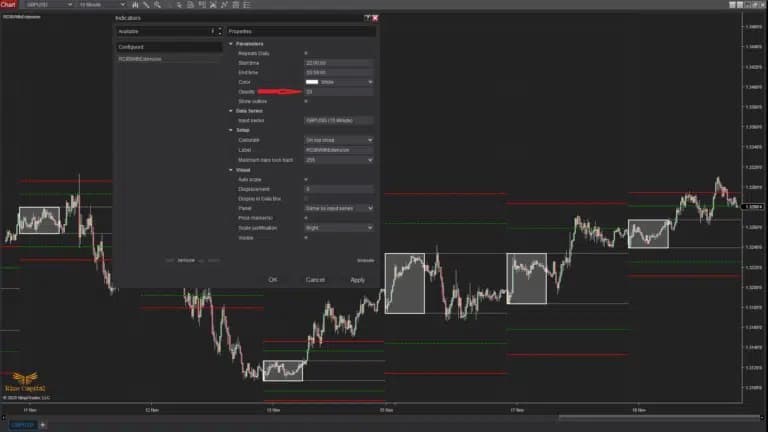
Based on your chart colour or platform skin, you can customise the colour of the IB or opening range plot as shown with a red arrow in Image 4. Currently, it is selected as white by default, and you can see the IB/opening range plot, which is also shown in the same image with a red down arrow. Now, if you don’t want to plot IB/opening range, but just want to plot the green and red extension levels, then you can simply select a transparent colour, which will plot transparent IB and only extension levels to be visible. You cannot customise the extension levels’ colours; those are set as green and red by default. And also depending on your choice, you can change the opacity of the plot of IB on your chart from the “Opacity” option shown with a red arrow in Image -5.
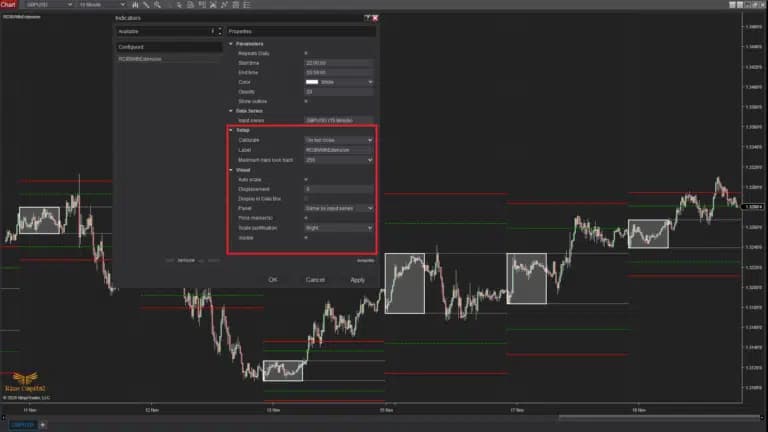
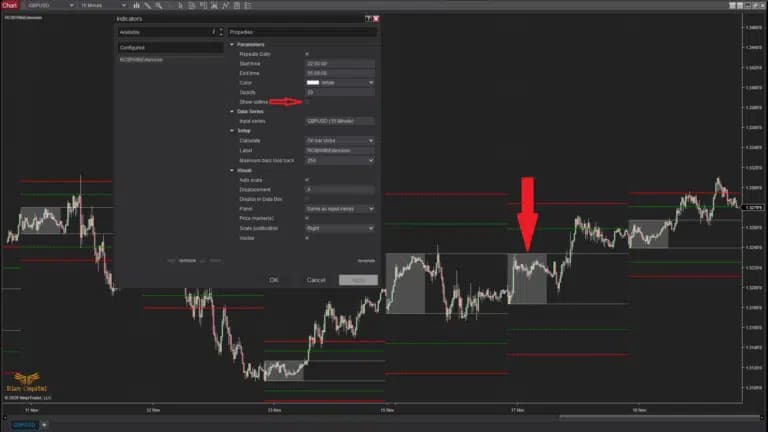
If you want, you can remove the outline from the IB plot like Image 6, shown with a downward red arrow, but to do that, you will need to remove the tick from the “Show Outline” option from the settings, which is marked with a red right arrow. By default, it plots the outline with the same colour as the IB plot. It is recommended to keep the default rest of the settings as it is highlighted with a red rectangle, like Image 7, for proper execution of the indicator as intended.
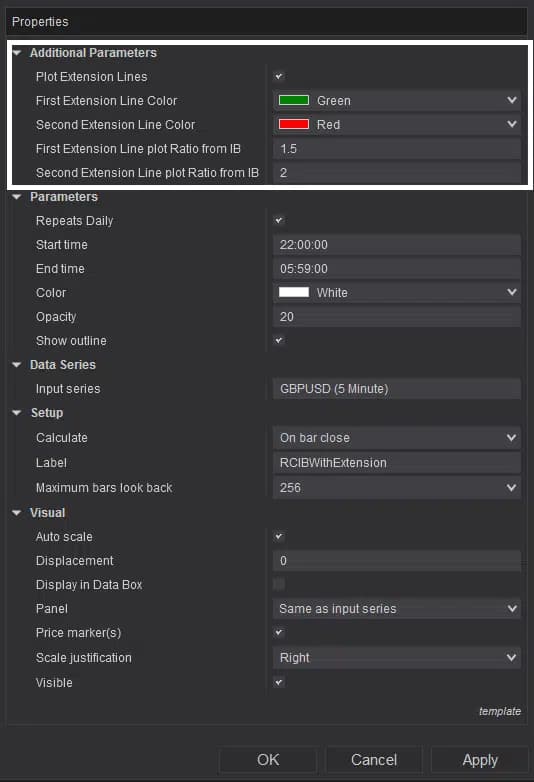
Additional parameters, which are highlighted within the white rectangle in Image 8, will provide the users access to additional parameters required related to extension levels and customising their plots. If the user doesn’t want to plot the extension levels, then simply uncheck the ‘Plot Extension Lines’. If the user decides to change the colours of both extension levels based on the chart background, it can be done from the ‘First Extension Line Colour’ and ‘Second Extension Line Colour’ parameters in the settings. Now, suppose a user wants to change where the extension levels are plotted, as different instruments may have different volatilities. In that case, this can also be managed from ‘First Extension Line plot Ratio from IB’ and ‘Second Extension Line plot Ratio from IB’ parameters. Point to be noted: values entered in these two parameters will multiply with the IB range, and the respective extension level away from IB will be plotted automatically based on the entered ratio values. This feature is not available within the free version, but you can subscribe to the Additional Parameters from the ‘Additional Feature Subscription’ section.
The Initial Balance With Extension Levels - Free Indicator is a professional-grade free NinjaTrader indicator designed to enhance your trading analysis and decision-making process. This powerful tool provides traders with advanced market insights and technical analysis capabilities, helping you identify potential trading opportunities with greater precision and confidence.
Installing and using the Initial Balance With Extension Levels - Free Indicator is straightforward. After downloading, simply import the indicator into your NinjaTrader 8 platform and apply it to your charts. The indicator works across all timeframes and market instruments, making it versatile for various trading strategies including day trading, swing trading, and scalping.
Rize Capital has been developing professional trading tools for NinjaTrader since 2018. Our indicators are used by thousands of traders worldwide and are known for their accuracy, reliability, and ease of use. All our free indicators come with comprehensive documentation and support.
Yes, the Initial Balance With Extension Levels - Free Indicator is completely free to download and use. You only need to create a free account with Rize Capital to access the download.
This indicator is specifically designed for NinjaTrader 8. For NinjaTrader 7 compatibility, please contact our support team.
Absolutely! This indicator is designed for both demo and live trading environments. However, we recommend testing thoroughly on a demo account first.
Yes, we provide basic support for all our free indicators through our community forum and documentation resources.
See how the Initial Balance With Extension Levels - Free Indicator has evolved over time